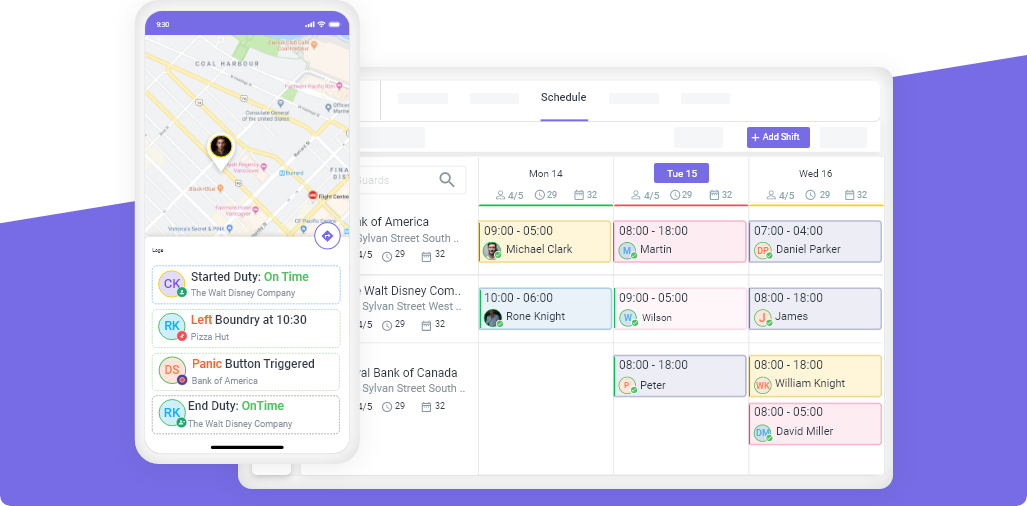
Employee scheduling is the process of assigning workers to shifts based on business demand, employee availability, labor laws, and skills or certifications. The 15 most effective scheduling rules are: publish one week ahead, use templates, track hours during scheduling, require shift confirmations, maintain a backup list, respect availability, match skills to shifts, distribute hours fairly, communicate changes immediately, audit schedules weekly, use open shifts for coverage, follow predictive scheduling laws, separate the scheduler from the approver, review no-show patterns, and automate what you can.
Bad scheduling costs more than most managers realize. A single no-show on a security site can cost $150-$800 in emergency replacements. A missed overtime threshold can add $5,000-$20,000 per year in non-billable labor. An unfair schedule drives turnover — and replacing an hourly employee costs 50-75% of their annual salary (SHRM, 2024).
These 15 rules work whether you manage 10 employees or 500, and whether you run a security company, cleaning business, or any field service operation.
Rule 1: Publish Schedules at Least One Week in Advance
This is the single highest-impact change you can make.
Research from the Shift Project at the University of Chicago found that schedule predictability reduces employee turnover by up to 30% and decreases absenteeism significantly. Employees who know their schedule in advance plan childcare, second jobs, and personal commitments around their shifts — which means fewer last-minute callouts.
The standard:
- Minimum: 7 days before the work week
- Better: 14 days
- Legal requirement: Oregon, New York City, San Francisco, Chicago, Seattle, and Philadelphia have predictive scheduling laws that mandate 7-14 days advance notice with penalties for late changes
If you are still publishing schedules on Friday afternoon for Monday morning, you are causing your own no-show problem.
Rule 2: Build Schedules from Templates, Not from Scratch
Most businesses have recurring patterns. Monday through Friday looks roughly the same every week. Weekends have a different pattern. Holidays have another.
Create schedule templates for each pattern and reuse them. Then adjust for vacations, time-off requests, and special events rather than rebuilding from zero.
What this looks like in practice:
- Build 2-3 base templates (weekday, weekend, holiday)
- Copy the appropriate template each week
- Adjust for known absences and special requests
- Review and publish
Companies using scheduling software with template features report spending 60-70% less time building schedules compared to manual methods.
Rule 3: Track Weekly Hours at the Point of Scheduling
Overtime is not a payroll problem. It is a scheduling problem.
Most managers discover overtime after the fact — when the payroll report shows guards or cleaners at 45 or 50 hours. By then, the money is spent.
The fix: Make weekly hours visible while you are building the schedule. Before you assign a shift to an employee, you should see their current weekly total. If assigning this shift pushes them past 36 hours, you should get a warning. Past 40, a hard alert.
| Threshold | Action |
|---|---|
| 0-35 hours | Assign freely |
| 36-39 hours | Warning — approaching overtime |
| 40+ hours | Alert — overtime will be triggered |
This one rule alone can reduce non-billable overtime by 25-40%.
Rule 4: Require Shift Confirmations 24 Hours Before
Do not assume employees will show up because they are on the schedule. Require explicit confirmation.
How it works:
- Send automated shift reminders 24 hours before the shift
- Employees must confirm via app, text, or call
- Unconfirmed shifts trigger an alert to the manager
- Manager contacts the employee or activates a backup
Companies using shift confirmations report 30-50% fewer no-shows compared to those relying on published schedules alone. The 24-hour window gives you enough time to find a replacement without scrambling.
Rule 5: Maintain a Backup List for Every Shift Type
No scheduling system can prevent every absence. People get sick. Cars break down. Emergencies happen.
Build a standby list:
- Identify 3-5 employees per region or shift type who are willing to pick up extra hours
- Sort by proximity to the job site (the closest backup gets called first)
- Update the list monthly as availability changes
- Offer standby employees first pick of desirable shifts as an incentive
When a callout happens, you should be able to fill the gap in minutes — not hours.
Rule 6: Respect Employee Availability (and Update It Regularly)
Nothing burns out an employee faster than being scheduled outside their stated availability. Once is a mistake. Twice is a reason to quit.
Best practice:
- Collect availability during onboarding
- Update it quarterly or when employees request changes
- Hard-block unavailable times in your scheduling system so they cannot be accidentally assigned
- If you must schedule outside availability, get written consent first
Employee scheduling software that enforces availability constraints eliminates this problem entirely. A shift cannot be assigned if the employee is marked unavailable.
Rule 7: Match Skills and Certifications to Shift Requirements
Not every employee can work every post. Security sites may require armed guards, specific licenses, or language skills. Cleaning contracts may require floor care certification or hazmat training. Healthcare settings require specific credentials.
The rule: Before assigning a shift, verify the employee meets the site’s requirements.
| Requirement Type | Example | What Happens If Ignored |
|---|---|---|
| License/certification | Armed guard permit, BSIS guard card | Legal liability, contract violation |
| Physical requirement | Patrol vs. standing post | Safety risk, poor performance |
| Client preference | Specific guards requested | Client dissatisfaction |
| Language | Spanish-speaking site | Communication failures |
Manual scheduling misses these constraints regularly. Scheduling software with certification tracking prevents unqualified assignments automatically.
Rule 8: Distribute Hours Fairly Across the Team
The fastest way to create resentment is to give the same 5 employees all the good shifts while others fight for hours.
Fair distribution means:
- Track total hours per employee per week and per month
- Set minimum and maximum hour targets per employee
- Rotate undesirable shifts (overnight, weekends, holidays) across the team
- Use the data to justify scheduling decisions when employees ask
This is not just about morale. Overloading the same employees increases overtime risk, burnout, and turnover. Underloading others means you are paying for a larger team than you are using.
Rule 9: Communicate Every Change Immediately
A schedule change that the manager knows about but the employee does not is worse than no schedule at all.
The standard:
- Every schedule change triggers an immediate notification (push notification, SMS, or email)
- Changes made less than 24 hours before a shift require direct confirmation from the affected employee
- All changes are logged with a timestamp and the reason
- The original schedule and the updated schedule are both visible
Under predictive scheduling laws, changes made without proper notice can cost you 1-4 hours of penalty pay per affected employee. Even without legal requirements, unclear communication is the number one cause of scheduling disputes.
Rule 10: Audit Your Schedule Every Week
Publishing a schedule is not the end of the process. It is the beginning.
Weekly audit checklist:
- All shifts covered? No gaps?
- Any employee over 40 hours?
- All certification requirements met?
- Time-off requests honored?
- Backup coverage identified for high-risk shifts?
- Client-specific requirements met (e.g., same guard at a preferred site)?
This takes 15-20 minutes and catches problems that cost thousands of dollars if missed.
Rule 11: Use Open Shifts for Coverage Gaps
Instead of calling employees one by one when a shift opens up, broadcast it.
Open shift workflow:
- A shift becomes available (callout, new contract, schedule gap)
- The shift is posted as “open” to all qualified, available employees
- Employees claim the shift via the app (first-come-first-served or manager-approval)
- The manager confirms and the schedule updates automatically
This approach is faster, fairer, and gives employees autonomy over their extra hours. Security and cleaning companies using open shift management fill gaps 3-5x faster than phone-based callouts.
Rule 12: Follow Predictive Scheduling Laws
If you operate in any of these jurisdictions, you are legally required to provide advance schedule notice:
| Jurisdiction | Advance Notice Required | Penalty for Late Changes |
|---|---|---|
| Oregon (statewide) | 14 days | 1 hour of pay per shift changed |
| New York City | 14 days | $10-$75 per shift changed |
| San Francisco | 14 days | 1-4 hours of pay |
| Chicago | 14 days | 1 hour of pay |
| Seattle | 14 days | Half the shift’s pay |
| Philadelphia | 14 days | 1 hour of pay |
| Los Angeles | 14 days | 1 hour of pay |
Even if you are not in these areas, the trend is expanding. Building compliant scheduling habits now protects you when your city or state passes similar legislation.
Rule 13: Separate the Scheduler from the Approver
The person who builds the schedule should not be the only person who reviews it. A second set of eyes catches favoritism, overtime risks, and coverage gaps.
Workflow:
- Scheduler builds the draft schedule using templates and availability data
- Approver (operations manager, owner, or senior supervisor) reviews for compliance, overtime, and fairness
- Publish only after approval
This also creates accountability. If a scheduling error causes a problem, the review process shows where it broke down.
Rule 14: Review No-Show Patterns Monthly
No-shows are not random. They follow patterns.
What to look for:
- Which employees have the highest no-show rates?
- Which shifts have the most callouts? (Monday mornings? Overnight?)
- Which sites have the most coverage issues?
- Are no-shows clustered around specific managers or teams?
Once you see the pattern, you can fix the root cause. Maybe Monday morning no-shows spike because the Sunday night shift runs too late. Maybe one site has high callouts because the commute is unreasonable.
Track no-show data monthly. Security companies that analyze this data reduce their no-show rate by 40-60% within 90 days.
Rule 15: Automate Everything You Can
Manual scheduling does not scale. At 10 employees, spreadsheets work. At 30, they are painful. At 50+, they are actively costing you money.
What scheduling software automates:
| Manual Task | Time Without Software | Time With Software |
|---|---|---|
| Building weekly schedule | 3-8 hours | 30-60 minutes |
| Handling callouts | 30-60 min per incident | 5-10 minutes |
| Tracking overtime | Discovered at payroll | Real-time alerts |
| Shift confirmations | Individual phone calls | Automated notifications |
| Client reporting | Manual spreadsheets | Auto-generated reports |
| Availability tracking | Paper forms, memory | Self-service app |
The cost of scheduling software ($5-15 per employee per month) is typically recovered in the first month through overtime reduction alone.
Quick Reference: All 15 Rules
| # | Rule | Impact |
|---|---|---|
| 1 | Publish schedules 1+ week ahead | Reduces no-shows by 30% |
| 2 | Use templates, not blank schedules | Saves 60-70% of scheduling time |
| 3 | Track hours while scheduling | Prevents 25-40% of overtime |
| 4 | Require 24-hour shift confirmations | Reduces no-shows by 30-50% |
| 5 | Maintain backup lists per shift type | Fill gaps in minutes, not hours |
| 6 | Respect and enforce availability | Reduces turnover and callouts |
| 7 | Match certifications to shifts | Prevents legal and compliance issues |
| 8 | Distribute hours fairly | Reduces burnout and resentment |
| 9 | Communicate changes immediately | Prevents scheduling disputes |
| 10 | Audit every schedule before go-live | Catches costly errors in 15 minutes |
| 11 | Use open shifts for coverage | 3-5x faster than phone-based callouts |
| 12 | Follow predictive scheduling laws | Avoids $10-$75 penalties per violation |
| 13 | Separate scheduler from approver | Catches favoritism and errors |
| 14 | Review no-show patterns monthly | 40-60% no-show reduction in 90 days |
| 15 | Automate with software | Recovers cost in the first month |
Getting Started
You do not need to implement all 15 rules at once. Start with the three that will have the biggest impact for your operation:
- Publish schedules one week ahead (Rule 1) — free, immediate impact
- Require shift confirmations (Rule 4) — free if you use text messages, automated with software
- Track hours at the point of scheduling (Rule 3) — requires software or a disciplined spreadsheet process
Once those three habits are in place, layer in the rest over the following month.
Ready to automate your scheduling? Start a free 14-day trial with Novagems and see how drag-and-drop scheduling, overtime alerts, and shift confirmations work for your team.
See Novagems in action
Join 500+ security & cleaning companies that replaced spreadsheets with Novagems.
✓ 14-day free trial · ✓ Free onboarding · ✓ Cancel anytime