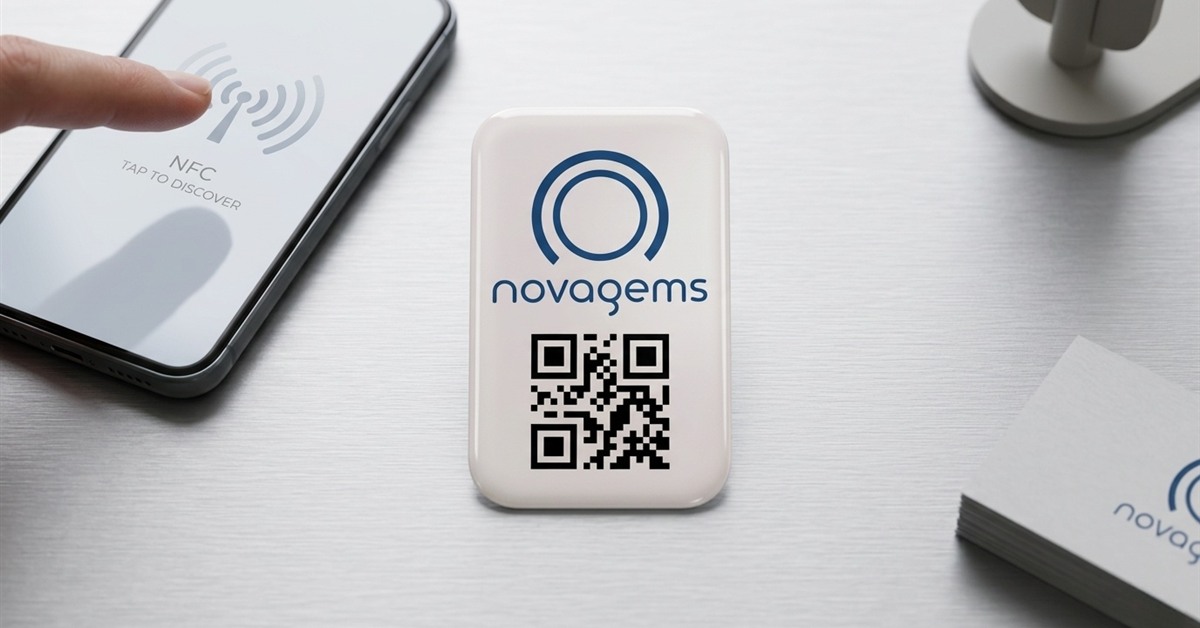
NFC (Near Field Communication) tags are small programmable chips — usually smaller than a coin — placed at each checkpoint in a security patrol route. When a guard taps their smartphone against the tag, it records the guard’s identity, checkpoint location, and exact scan time. NFC tags are passive (no battery required), work offline, and must be physically touched to read — making them the gold standard for patrol verification in 2026.
For decades, security companies proved their guards patrolled a site with paper logs, phone check-ins, or physical key systems. These approaches had one thing in common: they were easy to fake. A guard could skip a patrol, sign the log from the break room, and nobody would know until something went wrong.
NFC tags solved this problem. They require physical presence, work without internet, last years without maintenance, and create tamper-proof digital records. This guide explains how they work, why they matter, and how to deploy them in your security operation.
What Is an NFC Tag?
NFC stands for Near Field Communication — a short-range wireless technology that lets two devices exchange data when held within a few centimeters of each other.
An NFC tag in a guard tour context is a tiny, passive chip embedded in a sticker, disc, or industrial housing. The tag has no battery, no display, and no moving parts. It contains:
- A unique identifier (UID)
- A small amount of memory
- An NFC antenna that powers up when a smartphone’s NFC radio activates it
When a guard’s phone comes within 2-4 cm of the tag, the phone reads the UID, and the security app records the scan. The entire transaction takes about 500 milliseconds.
Physical Formats
| Format | Best For | Cost |
|---|---|---|
| Adhesive sticker (coin-sized) | Indoor walls, doors, clean surfaces | $0.50-$1.00 |
| Plastic disc (quarter-sized) | Semi-indoor, painted walls | $0.75-$1.50 |
| Rugged industrial tag | Outdoor, metal, concrete | $1.00-$3.00 |
| Epoxy token (key-fob style) | High-traffic, vandalism-prone areas | $2.00-$5.00 |
| Anti-metal NFC tag | Attaching directly to steel surfaces | $1.50-$3.00 |
How NFC Tags Work for Guard Tours
The Setup
- Deploy tags — place NFC stickers or industrial tags at each checkpoint location (entrances, stairwells, roof doors, parking levels, fence lines)
- Register tags in the software — each tag’s unique ID is linked to a specific checkpoint name (“CP-03 Northeast Stairwell”)
- Define patrol routes — specify which checkpoints make up each route, the sequence, timing, and how often
The Patrol
- Guard opens the security app on their smartphone and starts their assigned patrol
- Guard walks to the first checkpoint
- Guard taps the back of the phone against the NFC tag
- App shows a confirmation (“Checkpoint CP-03 scanned at 2:14 AM”)
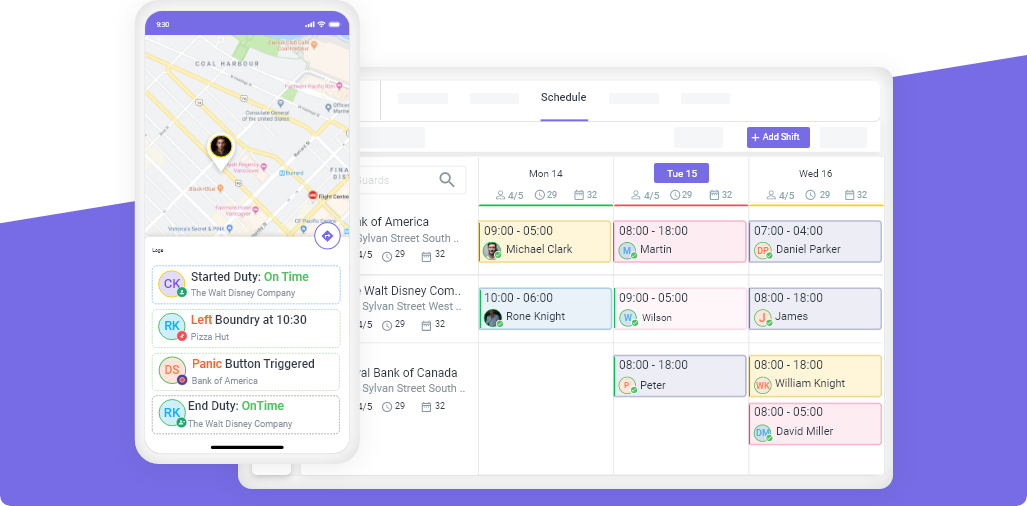
- App records: guard name, checkpoint ID, GPS location, exact timestamp
- Guard continues to the next checkpoint
- If a checkpoint is missed or late, the system alerts the supervisor immediately
The Proof
Every patrol creates an audit-ready record:
| Checkpoint | Scanned At | Guard | GPS Verified |
|---|---|---|---|
| CP-01 Main Entrance | 2:01 AM | Rodriguez, J. | ✓ |
| CP-02 Lobby | 2:04 AM | Rodriguez, J. | ✓ |
| CP-03 NE Stairwell | 2:14 AM | Rodriguez, J. | ✓ |
| CP-04 Roof Access | 2:21 AM | Rodriguez, J. | ✓ |
| CP-05 SE Stairwell | 2:29 AM | Rodriguez, J. | ✓ |
| CP-06 Loading Dock | 2:34 AM | Rodriguez, J. | ✓ |
This data automatically feeds client reports — no manual report writing required.
Why NFC Is the Gold Standard for Guard Tours
Security companies have three main checkpoint technologies to choose from: NFC, QR codes, and GPS. Each has strengths and weaknesses.
| Feature | NFC Tags | QR Codes | GPS Only |
|---|---|---|---|
| Physical presence required | Yes (2-4 cm) | Yes (camera must see code) | No |
| Works offline | Yes | Yes | No (needs signal) |
| Works in low light / night | Yes | Limited (needs camera focus) | Yes |
| Resistant to photo fraud | Yes — cannot be scanned from photo | No — photo can be scanned from phone | N/A |
| Works indoors / basement / parking garage | Yes | Yes | Poor signal |
| Maintenance | Zero (passive, no battery) | Zero (printed codes fade) | N/A |
| Weather durability (outdoor) | Excellent (rated -40°F to 200°F) | Moderate (fades in UV) | N/A |
| Cost per checkpoint | $0.50-$3.00 | $0.10-$0.50 | Free |
| Tamper resistance | Excellent (encrypted tags available) | Low (can be copied) | N/A |
| Scan speed | ~0.5 seconds | ~1-2 seconds | N/A |
The verdict: NFC is the most reliable, most secure, and lowest-maintenance option for serious guard tour operations. QR codes are acceptable for budget-conscious teams or temporary sites. GPS-only verification is inadequate for proving patrol completion at specific checkpoints.
The Advantages of NFC Tags
1. Physical Presence Verification
This is the single biggest advantage. A guard cannot fake an NFC scan from across the building. The tag must be physically touched by the phone. This eliminates the #1 fraud problem in paper-based patrol systems: a guard filling in a checklist without actually walking the route.
2. Works in Any Environment
NFC works in:
- Complete darkness (no camera needed)
- Basements and parking garages (no GPS signal required)
- Metal enclosures (with anti-metal tags)
- Extreme temperatures (-40°F to 200°F)
- Rain, snow, and direct sunlight (weatherproof formats)
The only thing that blocks NFC is active electromagnetic interference — which is rare and typically isolated to specialized industrial environments.
3. Zero Maintenance
Once installed, NFC tags require no attention:
- No batteries to replace
- No firmware to update
- No signal strength to monitor
- No wear from repeated scans (rated for 100,000+ scans)
A properly installed NFC tag will outlast the building it’s attached to.
4. Works Offline
Guards can complete patrols in areas with no cell signal — basements, underground parking, remote sites, or facilities with poor coverage. The app stores scan data locally and syncs when connectivity returns. No patrol data is ever lost.
5. Fast and Unobtrusive
Guards don’t need to stop, position a camera, or find the right angle. A quick tap and the scan is done. This keeps patrols moving at a natural pace.
6. Tamper-Resistant
Basic NFC tags cannot be visually copied. Encrypted NFC tags (DESFire, NTAG424) resist even sophisticated hardware-based cloning attempts. For high-security applications like government facilities or data centers, encrypted NFC is the preferred solution.
How to Deploy NFC Tags at Your Sites
Step 1: Identify Checkpoint Locations
For each site, walk the property and identify the critical checkpoints. Standard categories:
| Location Type | Purpose |
|---|---|
| Primary entrances/exits | Verify perimeter security |
| Stairwell doors | Confirm vertical patrol on each floor |
| Roof access doors | Catch unauthorized roof access |
| Parking levels | Deter vehicle break-ins |
| Loading docks | High-theft area |
| Utility rooms | Protect critical infrastructure |
| Perimeter gates | Verify fence line patrol |
| High-risk areas | Specific client requirements |
Rule of thumb: 8-15 checkpoints per building. Fewer means you miss critical areas. More means patrols take too long and guards cut corners.
Step 2: Choose the Right Tag Format
| Environment | Recommended Tag |
|---|---|
| Indoor, painted walls | Adhesive NFC sticker |
| Outdoor, weather-exposed | Rugged industrial tag |
| Metal surfaces (doors, pipes) | Anti-metal NFC tag |
| High-traffic / vandalism risk | Epoxy token or screw-mounted tag |
| Budget-sensitive site | Basic adhesive sticker |
Step 3: Install Tags
For adhesive stickers:
- Clean the surface with isopropyl alcohol
- Peel backing and press firmly for 30 seconds
- Place at eye level, approximately 5 feet from the floor
- Avoid direct sunlight for indoor stickers (UV fades labels)
For industrial tags:
- Use screw-mounting or industrial adhesive
- Ensure tag is readable from both sides if mounted on a post
- Consider a small sign above the tag (“Scan here”) for new guards
Step 4: Register Tags in the Software
Each physical tag has a unique ID. In the Novagems dashboard:
- Click “Add Checkpoint”
- Scan the physical tag with the manager’s phone
- The system auto-fills the UID
- Name the checkpoint (“CP-03 Northeast Stairwell — Floor 3”)
- Assign GPS coordinates for verification
- Add to relevant patrol routes
Step 5: Define Patrol Routes and Training
- Define the expected sequence of checkpoints for each route
- Set timing expectations (e.g., 45 minutes for a full round)
- Train guards on:
- How to scan (just tap the back of the phone)
- What to do if a scan fails (retry, report issue)
- How to report incidents found during patrol
Step 6: Go Live and Monitor
Start with one site. Monitor the first week for:
- Scan failures (tag damaged, phone NFC disabled)
- Timing issues (route takes longer than expected)
- Guard questions or confusion
Adjust as needed, then roll out to remaining sites.
NFC vs. QR Code: When to Choose Which
Choose NFC When
- Security is mission-critical (healthcare, data centers, banking)
- Sites are outdoors or in harsh environments
- You need long-term, maintenance-free deployment (5+ years)
- Budget allows $1-3 per checkpoint
- Guards work at night or in low light
- Clients audit patrol data for compliance
Choose QR Codes When
- Budget is extremely tight (< $50 per site for all tags)
- Sites are temporary (events, construction)
- Patrol is supplementary (not primary security)
- Environment is clean, indoor, well-lit
- You accept some risk of photo-based fraud
Use Both
Many companies deploy NFC at critical checkpoints and QR codes at secondary locations. The hybrid approach optimizes cost without sacrificing the most important verification points.
Pricing: What NFC Deployment Actually Costs
For a typical 10-checkpoint site
| Item | Basic Setup | Premium Setup |
|---|---|---|
| NFC adhesive stickers (10) | $5-$10 | N/A |
| Rugged industrial tags (10) | N/A | $15-$30 |
| Encrypted NFC tags (10) | N/A | $30-$60 |
| Labels/signage | $5-$10 | $5-$10 |
| Total hardware (one-time) | $10-$20 | $50-$100 |
| Software (per guard/month) | $10-$15 | $10-$15 |
Compared to the ongoing cost of paper logs (printing, storage, time spent reviewing) or patrol data fraud, NFC pays for itself within the first month.
Novagems and NFC Checkpoint Tours
Novagems supports NFC checkpoint scanning as part of the complete workforce management platform:
- Any NFC tag works — no proprietary hardware required
- iOS and Android support — guards use whatever phone they already have
- Offline mode — scans recorded even in basements or dead zones, sync later
- Real-time missed-scan alerts — supervisors notified if a checkpoint is skipped
- Automatic client reports — checkpoint data flows into branded patrol reports
- GPS cross-verification — if NFC scan location doesn’t match GPS, system flags the inconsistency
NFC is integrated with GPS tracking, scheduling, and incident reporting — you don’t manage NFC tags in a separate system.
Getting Started
The fastest path to NFC-based patrol verification:
- Start a free 14-day trial with Novagems
- Order NFC tags from any supplier (Amazon, ShopNFC, GoToTags — $5-$30 per site)
- Install tags at each checkpoint (~15 minutes per site)
- Register tags in the Novagems dashboard
- Train guards (30-60 minutes)
- Go live — patrols are now NFC-verified with tamper-proof digital records
Most security companies complete full NFC deployment across their portfolio within 1-2 weeks.
See Novagems in action
Join 500+ security & cleaning companies that replaced spreadsheets with Novagems.
✓ 14-day free trial · ✓ Free onboarding · ✓ Cancel anytime